Portfolio View: AI search visibility for your whole portfolio
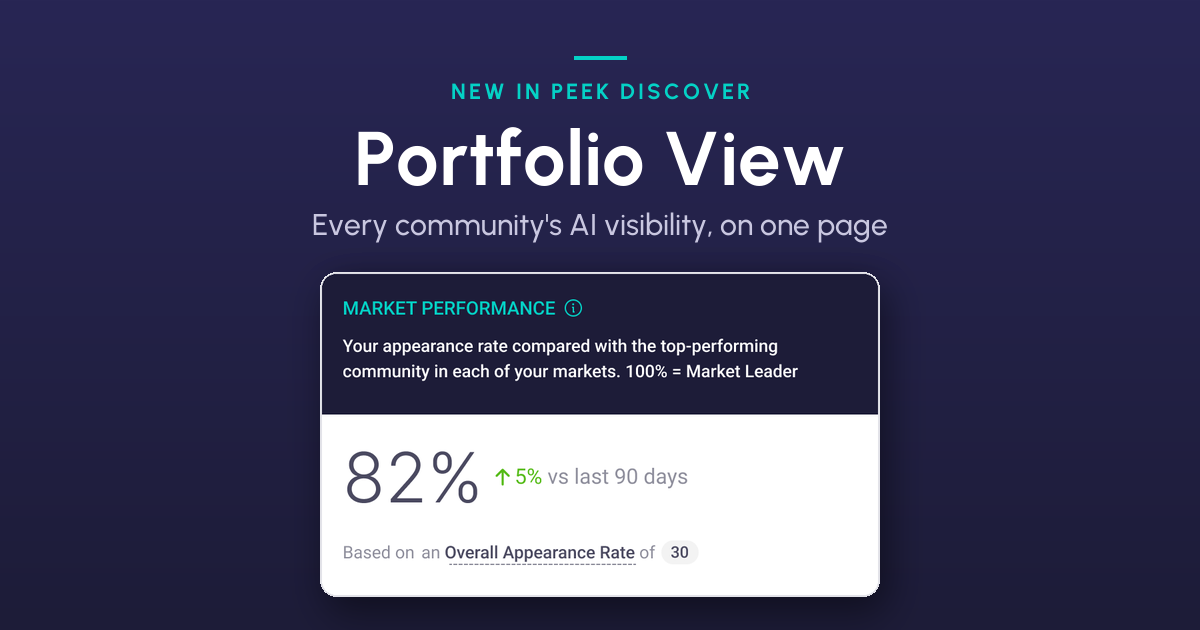
How are our communities doing in AI search? Until now, answering that in Peek Discover meant opening one report per community. Thirty communities, thirty reports. Portfolio View puts the answer on one page.
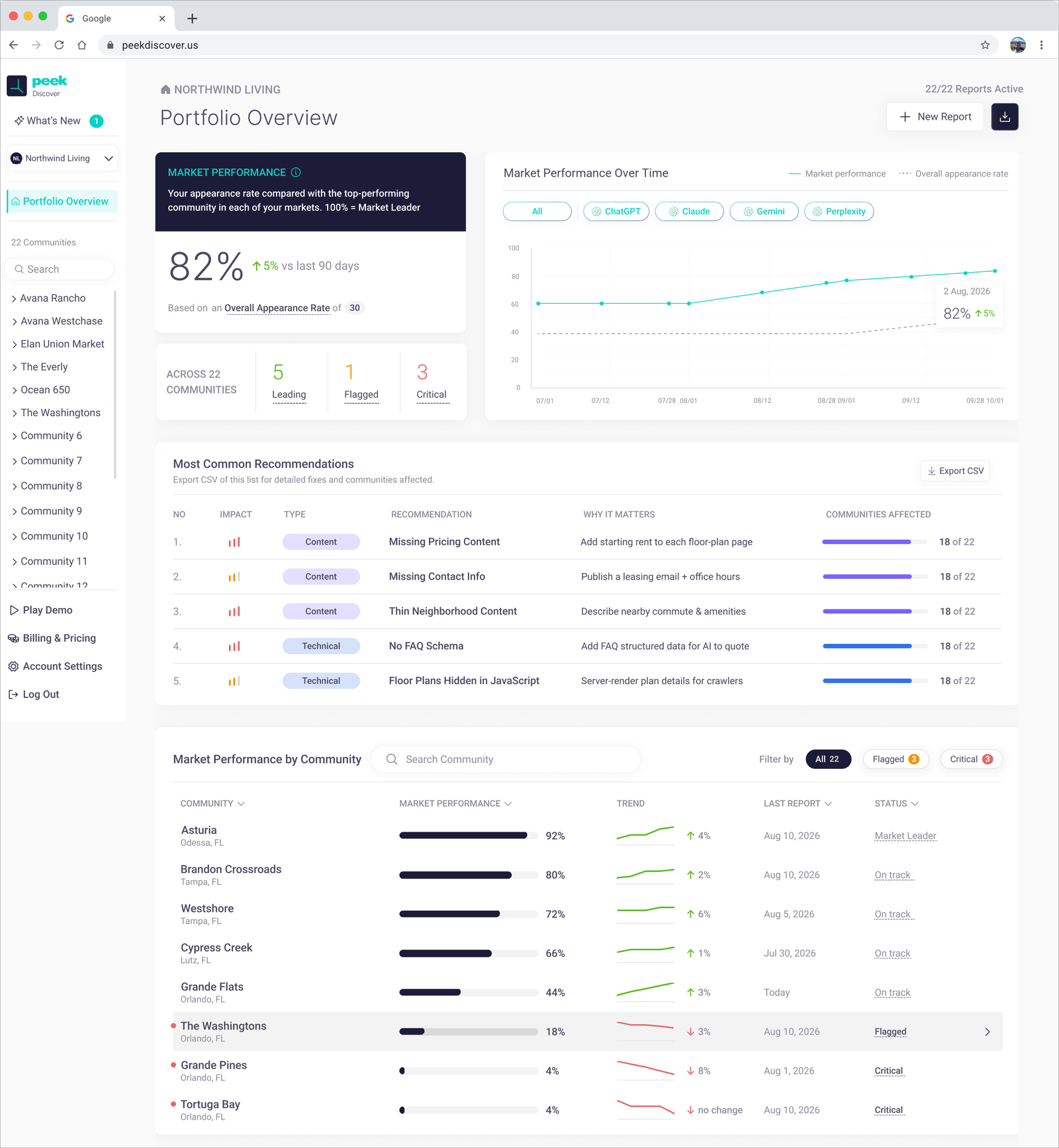
What is Portfolio View?
Portfolio View is the new homepage of Peek Discover, which measures how apartment communities show up when renters ask ChatGPT, Claude, Gemini and Perplexity where to live. Whether you manage one community or 170, it rolls your whole portfolio's performance into one page you can hand to an owner or asset manager.
The page answers four questions, top to bottom.
How are we doing?
You get one score for the whole portfolio, called Market Performance (explained below), plus how it's changed over the last 90 days. A trend line adds a point each time a report runs, and you can filter it by AI model.
Which communities need attention?
Each community gets a status: Market Leader, On track, Flagged or Critical. The page counts how many are in each group, and one click on Flagged or Critical narrows the list to just those communities.
What should we fix first?
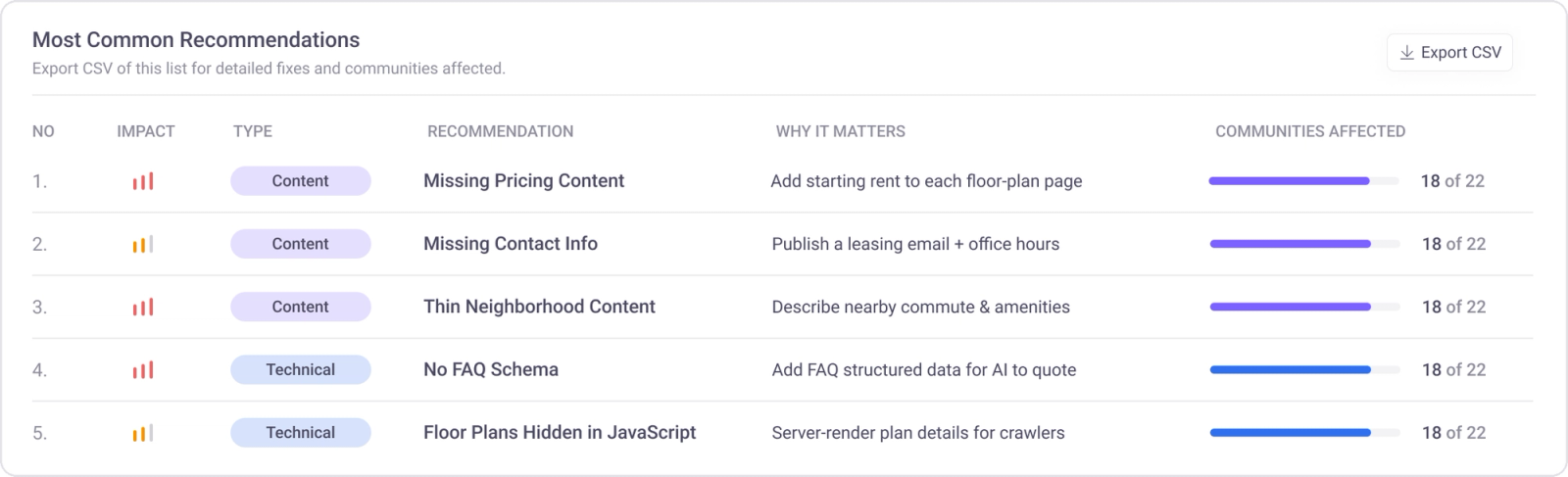
Discover looks across all your communities and shows the five fixes they have most in common. Content fixes are ones your marketing team can make, like publishing a pet policy. Technical fixes go to your web vendor, like adding FAQ schema, the code that helps AI read your FAQs.
If six of your twelve websites are missing a pet policy, you'll see "6 of 12," so you know one fix helps six communities. Export every fix for every community as a CSV to send your vendor. Most Common Recommendations is part of Discover Premium.
How do we report it up?
Download a PDF of the whole portfolio, laid out for owners and leadership. Every community also sits in one list you can search, sort and click into.
What is Market Performance?
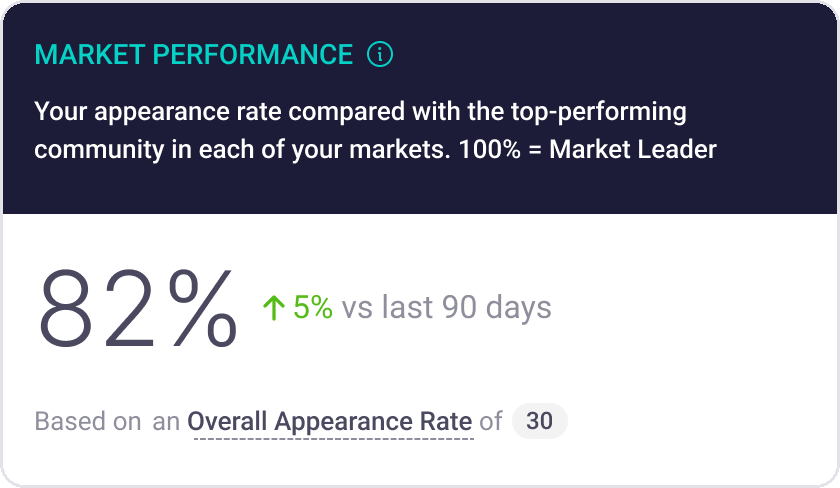
Market Performance tells you how close each community is to being the property AI recommends first in its market. 100% means your community is the one AI mentions most: the market leader.
It starts from Appearance Rate, Discover's core measure: how often AI mentions your community when renters ask where to live. Market Performance compares that number to the local leader's.
EXAMPLEMaple Court shows up in12% of AI answersThe top property in its market shows up in30% of AI answersMaple Court's Market Performance12 ÷ 30 = 40%
Why compare to the leader? Because the same Appearance Rate can mean very different things. 15% might make you the leader in a quiet suburb and leave you far behind downtown. Market Performance puts every community on the same 0 to 100% scale against its own competition, so you can compare a community in Denver with one in Austin.
It isn't a ranking. 60% doesn't mean you beat 60% of properties. It means you show up 60% as often as the leader.
It also sets each community's status, using the average of the last three reports so one unusual report won't change it:
- Market Leader 90% and up
- On track 25% to 90%
- Flagged 10% to 25%
- Critical under 10%
Frequently asked questions
Who is my community compared against?
The property AI mentions most in that community's own Discover report. It's a local competitor, not another property in your portfolio, and it doesn't need to be on your Tracked Competitors list.
If a community scores 100%, is there anything left to fix?
Yes. It leads its market, but even a leader might show up in only 20% of AI answers. There's still room to grow.
Is Portfolio View on every Discover plan?
Yes. Most Common Recommendations and its CSV export need at least one community on Discover Premium.
See your portfolio
On Peek Discover? Log in and you'll land on Portfolio View. Not yet? Book a demo and we'll show you where your communities stand in AI search.